
The Cohera blog · Multi-platform posting
Keep the idea, make the post fit
Adapt one social media post for different platforms
By Ella
You have a post ready for one platform, then remember you want to share it somewhere else too. Do you need to start again, or can you use the same words and image?
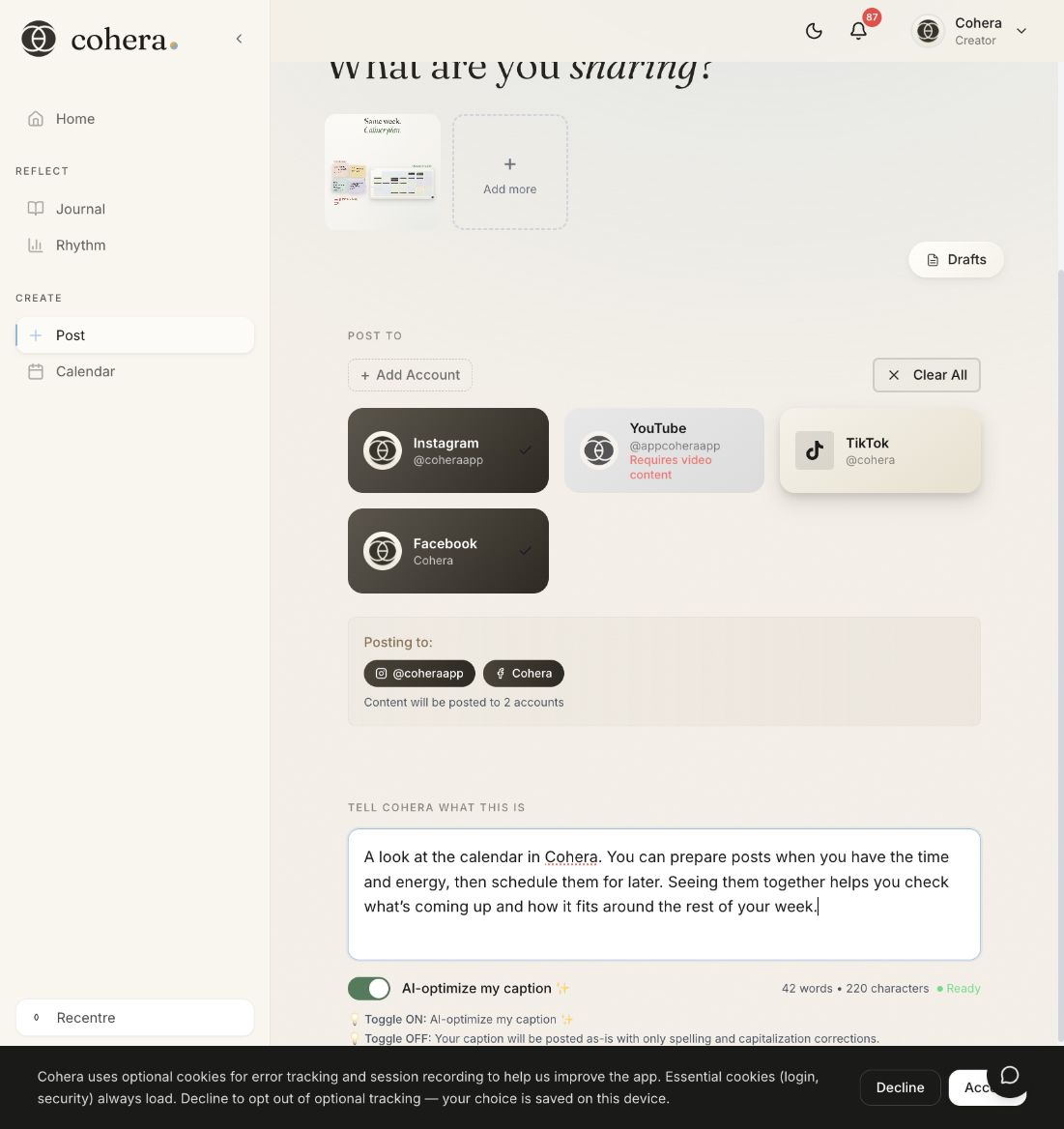
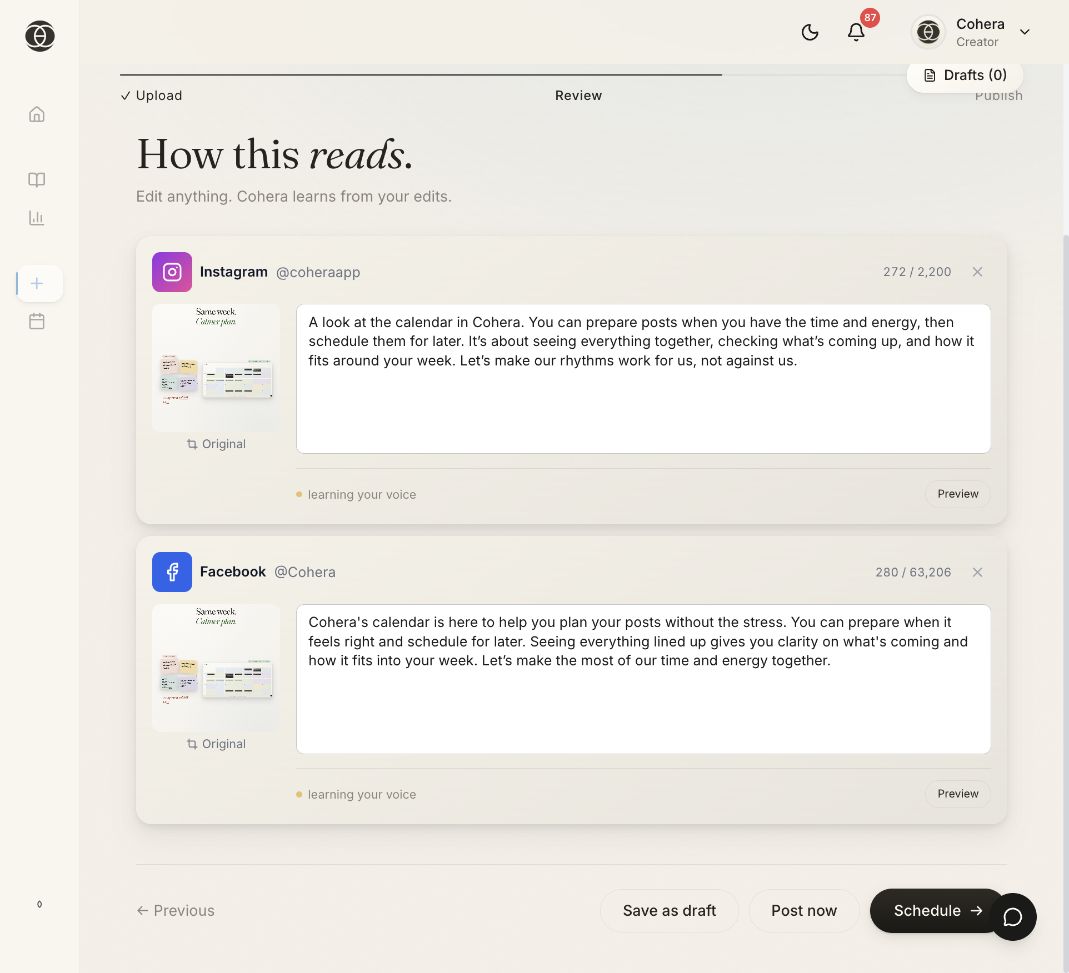
Often, the idea can stay the same. A few adjustments can help it make sense to the people seeing it and fit where you’re sharing it. In Cohera, you can prepare content for your selected platforms together and review each version before it goes out.
Start with one description
Imagine you’re a musician sharing a rehearsal clip on Instagram and Facebook before a local performance. Your starting description could be:
A short clip from rehearsal for our acoustic set at the community hall on Saturday. We’ve changed the arrangement of the opening song. Tickets are available through the venue website.
Include the confirmed event details, then let Cohera’s AI-assisted captions help shape the wording for your selected platforms. You don’t need a different story for each one.
Check what each audience needs
Some followers may recognise the song. Others may be discovering your work for the first time. As you review each caption in Cohera, ask:
- Is there enough context? Help someone unfamiliar with the clip understand what they’re hearing.
- Does it sound like me? Adjust any wording that feels unnatural.
- Is the next step clear? If you mention tickets, make sure readers can find the booking information on that platform.
If the same wording works in both places, keep it. Change what helps the reader.
Check the media and the details
Cohera’s Review step includes platform guidance and checks to help you spot formatting issues. Read any messages for each selected platform and resolve what needs attention.
Then check the things only you can confirm:
- Does the clip show the part of the rehearsal you intended?
- Are the event and booking details correct?
- Does the caption accurately describe what you’re sharing?
For more detail on formats, see Cohera’s platform requirements guide.
Choose when each version will go out
Once you’re happy with each version, you can publish or schedule through Cohera. Use the calendar to see how the posts fit alongside your other planned content.
One clear description can give you a starting point for several platforms. Give each version a final read, then choose when to share it.