
The Cohera blog · Caption assistance
There’s a story in what you’ve made
Caption ideas for sharing your creative work
By Ella
You want to share something you’ve made, but when you reach the caption, you have no idea what to write beyond describing what it is. “A new painting.” “A song I’ve been working on.” The words feel flat, even though the work means something to you.
You know the decisions, changes and small discoveries behind it so well that they can be easy to overlook. Someone seeing it for the first time hasn’t been there for those moments.
One of those details can give you a starting point. You don’t need to find a whole new story to tell.
Look for the detail someone else hasn’t seen
A caption doesn’t have to tell the whole story. Start with one thing you could explain to someone who is curious about what you do.
Try whichever question brings something to mind:
- What made you start? A conversation, a place or an idea you kept returning to.
- What did you choose or change, and why? A colour, material, sound or detail that took a few attempts to get right.
- What would you like someone to notice? A texture, a quiet moment in a song or something they might miss at first glance.
Choose just one. A few words in response can give your caption a direction.
Describe it as if you were telling someone beside you
Imagine you have made a small ceramic bowl. You could begin with:
Made this little blue bowl over the weekend. Left some clay bare on the outside because I like the rough and smooth bits together. Wanted to show that detail.
That is already a useful description. It says what you made, a choice you made and what you want people to notice.
A musician might write: “Changed the last line of this song after playing it live. The quieter ending felt more honest.”
Someone building a business alongside their day job might write: “Finally finished the packaging tonight. Changed the opening so it’s easier to reuse the box.”
You don’t have to make the description sound like a finished social post. A few plain sentences can hold the part of the story that belongs to you.
Let Cohera help bring the words together
When you need a little help shaping that description, you can type it into Cohera’s post description and use AI-assisted captions to turn it into a more cohesive caption.
If you have approved writing examples available, they can help guide the wording towards your tone. Your description supplies the story; your examples give the suggestions more of a sense of how you express yourself.
The process can stay simple:
- Choose one detail to share. Use a question above if you need a starting point.
- Type a brief description. Say what happened and why it matters in your own words.
- Let Cohera shape the caption. Use the suggested wording as a starting point.
- Read it through. Check that it says what you mean, sounds like you and keeps the facts right.
If a phrase doesn’t feel natural, change it. If the suggestion adds something that isn’t true, take it out. You can keep the parts that help and leave the rest.
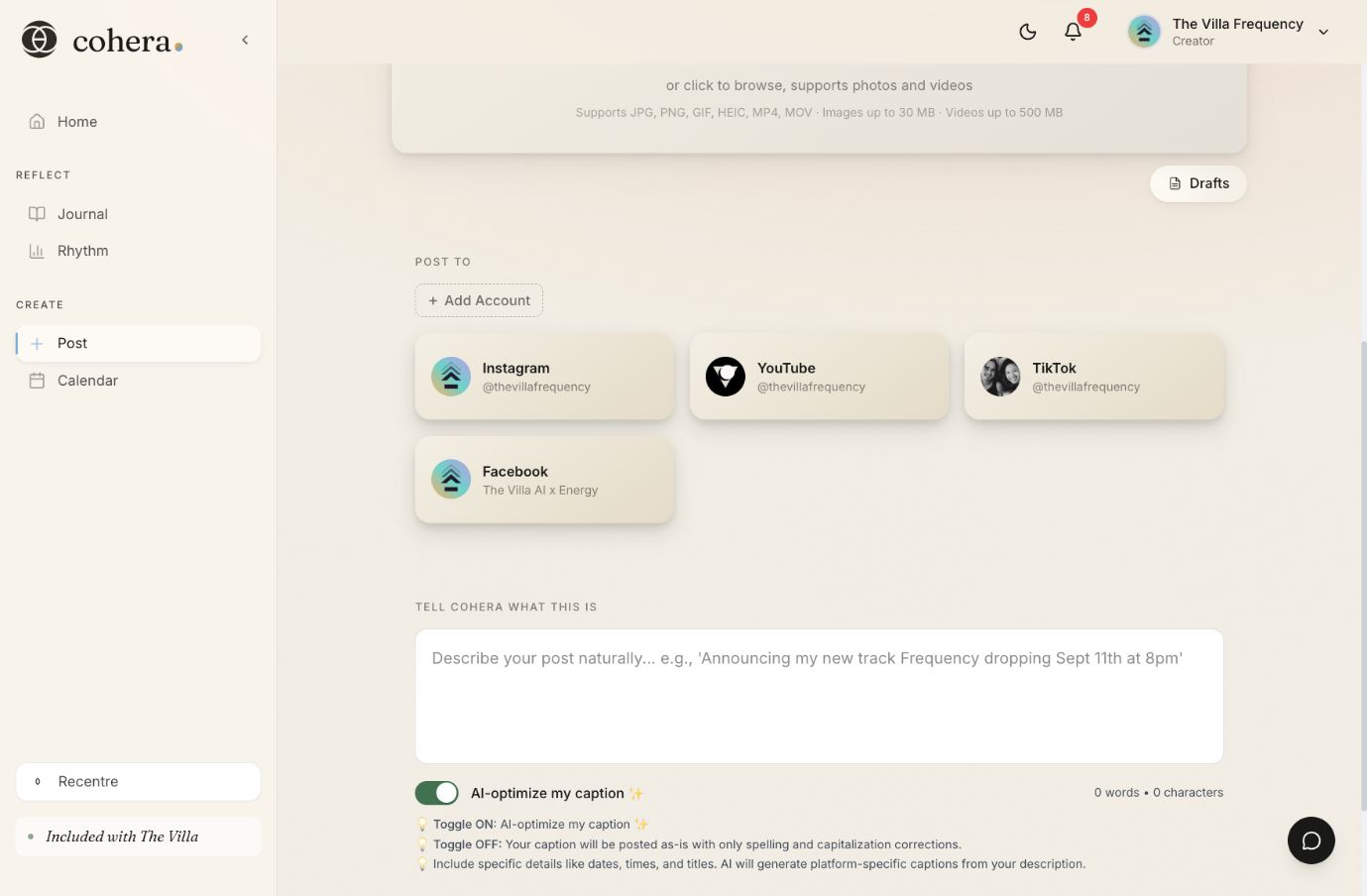
Choose one detail from your work and describe it in your own words.
When you need a little help bringing it together, Cohera can help shape it into a caption.