
The Cohera blog · Content planning
Make room for sharing your work around your 9–5
Plan and schedule social media posts around your day job
By Ella
You get home from work with something of your own you want to share. But by the time you’ve made dinner and caught up with the day, choosing a photograph and writing a caption can feel like another job.
You tell yourself you’ll post tomorrow. Then tomorrow fills up too.
Planning a small amount of content ahead in Cohera can help you separate preparing a post from being available to publish it. Begin with the time you can realistically give it.
Choose what deserves a place in this week’s plan
Imagine you make jewellery alongside your day job. You’ve finished a new pair of earrings and will have a stall at a market on Saturday.
There are two useful things you could share: a closer look at the earrings and the details someone would need to visit your stall. That gives each post a reason to be there.
Before opening your content calendar, consider:
- What is ready to share? Start with work or photographs you already have.
- Is anything tied to a date? A market, release or event may need information shared beforehand.
- When could you prepare it? Choose a gap in your week that you would be comfortable using, without assuming every free evening is available.
You might decide that one post is enough. The aim is to choose something useful you can prepare with the time you have.
Use one available session to prepare your posts
Perhaps Sunday afternoon gives you room to prepare both posts before the working week begins.
For the earrings, you could type a brief description into Cohera: “Finished these earrings this weekend. Kept them small and light because I wanted a pair that felt comfortable for everyday wear.”
AI-assisted captions can help shape that thought into a post. Read the suggestion through and keep the wording that reflects your work.
For the market post, start with the practical details: the date, location, opening times and what you are bringing. Check those details against the event information as you review the caption.
Preparing the posts together means those decisions are already made when your weekdays get busy. If you stop before scheduling, save from the Review step and return to your draft in the same browser on the same device.
Schedule ahead and see your week in the calendar
Once your posts are ready, schedule them in Cohera for the dates and times you choose. They can go out while you’re at work or busy elsewhere, without you needing to stop and publish each one.
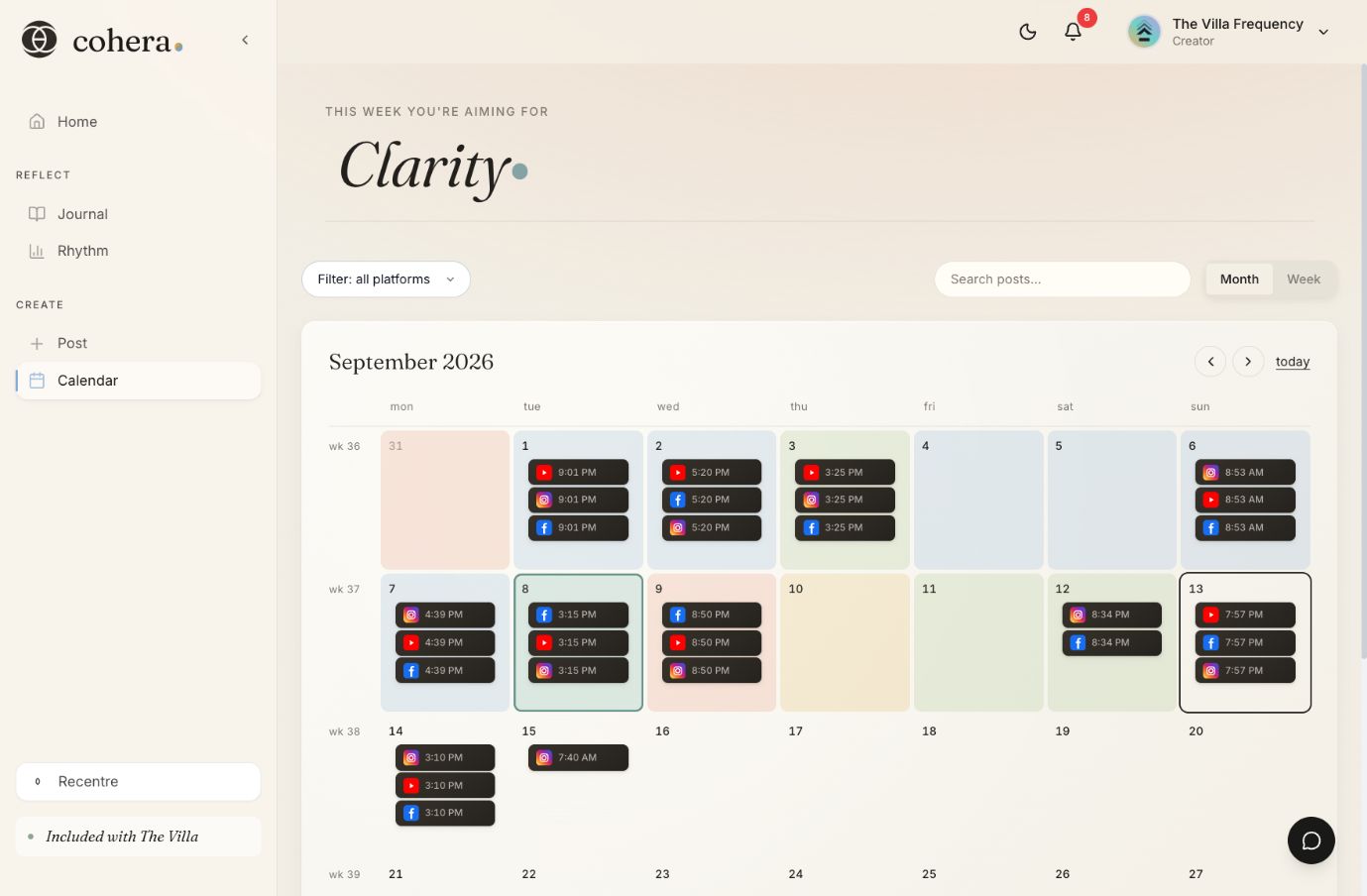
Open the calendar to see how your planned posts fit together. You can check what’s coming up and decide whether the week still suits your plans.
Let a small plan do its job
A working week doesn’t need a post for every day. A couple of considered posts can give people a closer look at your work and the information they need to find it, while leaving your evenings for other things.
Choose one thing worth sharing this week.
Prepare it in Cohera when you have room, then choose when it goes out.